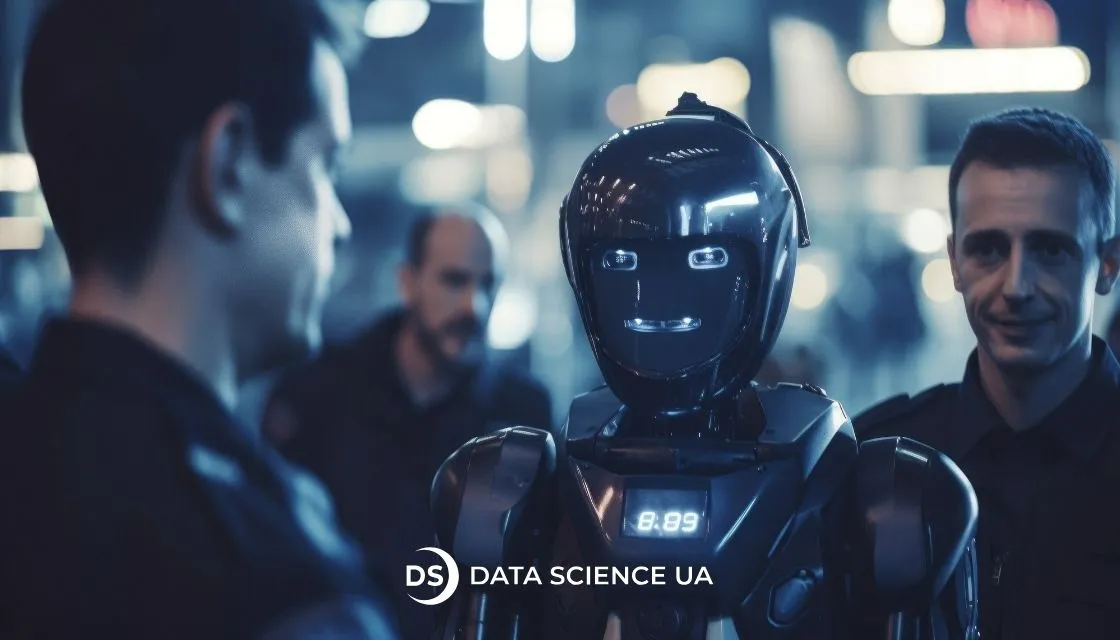
IT support chatbot: Use cases and top tools
We all know what it’s like when we’re not being heard. We explain, clarify, and return to the same detail; however, it’s all in vain. Eventually, we lose patience.
This is exactly how a customer feels when they contact customer service and are forced to start the conversation from scratch every time. When the system doesn’t remember the context, when each new operator asks the same questions, and when you have to wait hours for a response. For a business, these are minor issues, but for a customer, they are a reason not to return.
According to McKinsey, over 70% of customers expect an instant response from customer service, and over 60% are ready to switch brands after one bad experience.
That’s why companies are increasingly implementing AI chatbots for customer support. They don’t replace humans, but they do eliminate routine tasks: they automatically process requests, provide accurate answers, remember the context of the conversation, and only connect an operator when it is really necessary. For more information about what a chatbot is and how it can specifically help your business, read today’s article.
What are AI chatbots?
An AI chatbot is a program that analyzes user requests, processes language, and generates responses based on rules, interaction history, and data from previous requests. In simple terms, it is the “front line” of your support team, always on duty and never forgetting key points.
The system collects statistics, identifies recurring questions, priority issues, and even predicts what queries may arise next. Companies that harness chatbot development services receive:
– instant answers to typical questions;
– fewer missed calls;
– more time for operators to handle complex cases.
Why do businesses choose AI for customer support?
The reason is simple: efficiency and resource savings.
Automating standard requests allows companies to standardize communication, avoid losing customers during peak hours, and collect data for analysis. AI agents business impact examples show that when every request goes through the system, it becomes clear which questions are repeated, where delays occur, and which communication channel works more efficiently.
The economic effect is obvious: lower call processing costs, higher conversion of inquiries into sales, and clear processes for management. Even in large companies, where the volume of requests is measured in thousands every day, the integration of AI agents has proven that proper automation can reduce response times, optimize operator workload, and maintain customer loyalty.

Key factors before adding a chatbot
- Knowing your users
- Defining the chatbot’s role
- Escalating to human support
- Personalization and flexibility
- Training and ongoing updates
- Data protection essentials
Knowing your users
AI can’t work effectively without a clear understanding of who it is designed for. Before implementing a chatbot, a business needs to know not only the age and geography of its customers, but also the context of why they are contacting the company, how they perceive automated assistance, and at what stages of the purchase or service they most need support.
For example, if a user is looking for a solution to a complex technical problem, overly formulaic responses can only worsen the experience. Customer behavior analytics and feedback are fundamental; without them, the bot will be just another “window” on the website, rather than a real assistant.
Defining the chatbot’s role
Businesses often expect chatbots to handle everything from sales to technical support. But universal solutions don’t work. It’s important to clearly define what function the bot performs: is it a consultant, navigator, analyst, or part of the service chain? If its role is not clearly defined, the company risks creating a “smart secretary” that never brings measurable benefits.
Escalating to human support
AI should help people, not replace them. It is important to build escalation logic where the system understands the limits of its competence and transfers the dialogue to an operator without losing context. A properly designed bot can collect data, clarify the essence of the problem, classify the request, and then transfer the ready-made brief to a person. ROI is obvious: it reduces response time, minimizes repeated explanations, and allows specialists to focus on solving complex cases.
Personalization and flexibility
Modern chatbots are no longer linear systems with a limited selection of responses. Thanks to AI, they analyze communication history, previous purchases, and even user mood, and adapt their tone, recommendations, or format of assistance.
Such personalized scenarios create real business benefits: they increase profitability in the first year. Chatbots transform the service into a point of loyalty that’s fast but also emotionally accurate.
Training and ongoing updates
The effectiveness of AI directly depends on the quality of training and regular knowledge updates. Models need to be constantly fed with new data: product changes, updated scripts, and user feedback.
Companies that invest in a continuous cycle of chatbot training see steady growth in response accuracy and a reduction in repeat inquiries. It also helps avoid the typical risks of a bot becoming “outdated” and starting to give inappropriate advice.
Data protection essentials
When AI works with large amounts of customer data, information security becomes a key issue. This is especially true in the era of GDPR, HIPAA, and other regulations. It’s necessary to control how data is collected, where it is stored, and who has access to it.
Data analytics services tools help track user behavior, but also identify potential vulnerabilities, such as unreasonably broad queries or excessive storage of personal data. Investments in transparent analytics and cybersecurity pay off faster than you might think: according to Statista, every dollar invested in data protection saves businesses up to $4 in future risks.
Best AI chatbot solutions for IT support
Stonly
Stonly isn’t just a chatbot, but an interactive user training platform. It allows you to create step-by-step guides that replace standard support responses. Instead of explaining to the customer “where to click”. It shows it in real time, interactively, and visually.
Netomi
Netomi is one of the most powerful AI assistants in the field of customer support. Its self-learning algorithms process over 70% of requests without human intervention, preserving the context and style of the brand.
The platform integrates with Zendesk, Freshdesk, and Salesforce, allowing companies to centrally manage communication. The business benefits are obvious: reduced support costs, consistent response quality, and analytics that identify bottlenecks in processes.
Drift
Drift focuses not only on support but also on converting dialogues into sales. For IT companies, it’s a valuable option: the chatbot communicates with website visitors in real time, qualifies leads, responds to technical inquiries, and instantly transfers the contact to a manager.
The Drift AI module learns from communication history, identifies behavioral signals, and predicts when a user is ready to talk to a company representative.
Quidget
Quidget is a lesser-known but technologically strong player. The platform uses AI agents that work in tandem with live consultants, adapting responses to the customer’s tone and the complexity of the issue. If a query goes beyond the knowledge base, the bot correctly “escalates” the conversation without losing context.
Intercom
Intercom has long been synonymous with “smart communication”. Their IT support chatbot Fin is a combination of machine learning, NLP models, and the company’s knowledge base. Fin doesn’t just give answers; it understands context, uses information from CRM, and takes into account previous interactions.
The business advantage is obvious: Intercom allows you to maintain a human style of communication even with full automation.
6 steps to implement an AI chatbot in IT support
Define objectives
Any successful IT support chatbot starts not with code, but with specific business metrics. If your goal is to reduce the load on support, specify by how much.
How many Level 1 tickets can you automate? What percentage of First Response Time (FRT) can you realistically reduce? How much does an agent’s hour of work cost that can be freed up through automation?
A typical IT support chatbot automates 40-60% of Level 1 requests (passwords, VPN, accounts).
If your team receives 500 tickets per month and an agent costs $4K, automating 50% of requests = savings of about $24K per year.
As Data Science UA‘s experience shows, companies that set measurable goals from the 1st day see a return on their investment in chatbots within 4-6 months of launch.
Select a suitable chatbot platform
Not all AI platforms are equally suited for technical support. But how can you figure out which features your infrastructure needs?
Option: API integration with Service Desk
Why is it important for IT support: 80% of the chatbot’s effectiveness comes from synchronization with Jira/ServiceNow
Platform examples: Intercom, Zendesk
Option: Multi-language NLU
Why is it important for IT support: If you have international support
Platform examples: Dialogflow, IBM Watson
Option: On-premise deployment
Why is it important for IT support: For companies with strict data policies
Platform examples: Rasa, Microsoft Bot Framework
Option: Knowledge base integration
Why is it important for IT support: Automatic extraction of articles from Confluence/Notion
Platform examples: Freshdesk, Help Scout
Don’t chase brands; instead, consider the openness of their APIs, security, and the quality of integration with your systems.
Create effective conversation flows
Most users leave the chat if the bot doesn’t understand the question after two attempts. Therefore, dialogue architecture is key to effectiveness.
Teams need to think through real scenarios: typical requests, tone of communication, and possible emotional reactions from customers. Instead of using universal templates, it is better to create dynamic routes that take context into account, such as whether the user is a technical specialist or an ordinary customer.
What are the benefits for businesses?
Every request is processed quickly and without errors, even when operators are busy.
Fewer repeat requests and support queues → customers receive immediate responses, which increases loyalty.
Reduced workload for the support team → focus on complex cases.
Sephora automated repetitive questions about products and orders, allowing requests to be processed quickly without waiting for a live agent, reducing the load on the call center.
Train the chatbot on IT data
The biggest advantage of AI in support is its ability to learn. Chatbot for IT support needs to be “fed” with real cases: customer requests, stories from knowledge bases, and system logs.
The more accurate the data, the better the quality of the responses. Spotify analyzes typical requests about subscriptions and account recovery, allowing bots to solve most standard problems without agent intervention.
Run tests and optimize
Before the full launch, a series of tests must be conducted: functional, load, and UX. It often turns out that users phrase questions differently than the team expected. Regular monitoring and optimization help avoid “dead scenarios” and improve the accuracy of responses.
Amazon tests its bots on questions about orders and returns, constantly updating scenarios to reduce the number of escalations to live agents.
Continuous updates and training for chatbots
Even the best model becomes obsolete without updates. Changes in products, processes, or even corporate vocabulary are taken into account in new training sessions.
Apple Support updates databases for chatbots when new products are released, providing fast and accurate user support without additional workload for the team.

Where are chatbots making the biggest impact?
Don’t just follow the trend: Integrate chatbots to keep your customers happy.
Will AI replace human IT support roles?
AI won’t provide emotional support
Support requires not only speed but also empathy. When a user is nervous about system failures, it is a human agent who can calm them down, explain the situation, and leave a positive impression.
AI can analyze emotional signals, but it cannot feel the customer’s frustration. Therefore, an effective model is cooperation, not replacement: a chatbot takes care of routine tasks, while a human handles emotional and critical cases.
Ability to adapt quickly
The technological environment changes every month. People can quickly adapt to new products or updates, while models require retraining. This is the key reason why full automation in support is unrealistic, especially for complex B2B solutions.
Is there a future for chatbots, and how can you avoid wasting your budget?
If your business still relies solely on human support, it is losing the most valuable thing: the time of your customers and your own team. When a user waits for a response, they are already looking for an alternative. A chatbot for IT support guarantees that no request will be left unanswered.
To move beyond theory, here is a practical 12-month roadmap:
Phase 1 (1–3 months): Foundation
Identify the 10 most common customer requests (e.g., password reset, access issues, basic instructions).
Set up the chatbot to automatically handle these requests.
Check basic integration with communication channels (web chat, messengers, email).
Phase 2 (4–6 months): Expansion
Add integration with Service Desk (ServiceNow, Jira, Zendesk) so that the bot can create, update, and close tickets automatically.
Expand the set of queries to 20–30 types, including product settings, FAQs, and basic troubleshooting scenarios.
Start tracking performance metrics: how many requests the bot handles, response time, and the level of escalations to agents.
Phase 3 (7–9 months): Intelligence
Add user sentiment analysis to identify frustrated or dissatisfied customers and automatically escalate them to a live agent.
Set up preventive notifications: for example, reminders about product updates, license expiration, or system updates.
Start using more complex dialogue scenarios: dynamic routes depending on user profile or interaction history.
Phase 4 (10–12 months): Optimization
Conduct regular A/B testing of dialogue scenarios to reduce misunderstandings and improve user experience.
Use ML for more accurate intent recognition.
Implement “Agent Copilot” mode: the chatbot for IT support offers the agent options for answering complex questions, allowing the person to control the final communication.
In the time it took you to read this, a few of your customers likely walked away because they didn’t get a response. 60% of people leave after their very first bad experience, and more often than not, that experience is simply being forced to wait. Companies that have integrated AI chatbots have stopped losing clients in those split-second moments when decisions are made.
So, what’s the bottleneck? Usually, it isn’t the budget or the tech; it’s the lack of a partner who understands both business logic and technical execution. Someone who doesn’t just sell you a “black box” but builds a system around your specific processes. That is exactly what Data Science UA does.
If you feel that your current support model is no longer scaling, it’s time for a conversation.
FAQ
What security measures protect user data in IT support chatbots?
Security is never an afterthought; it’s the foundation. We protect data through end-to-end encryption (AES-256), strict PII masking (automatically stripping out sensitive personal info), and ensuring full compliance with GDPR or SOC 2 standards. By using secure API integrations and private cloud environments, we ensure that your internal data stays internal and never leaks into public training sets.
How do LLMs enhance IT helpdesk chatbots?
LLMs are the “brain” that moves a chatbot beyond simple keyword matching. They allow the system to understand context, nuances, and even poorly phrased technical issues just like a human would. Instead of “Press 1 for Password Reset”, an LLM-powered bot can walk a user through complex troubleshooting steps in a natural conversation. By leveraging professional LLM development services, companies can build bots that actually solve problems rather than just redirecting tickets.
Is instant, real-time help possible with AI chatbots?
Absolutely, that is their primary job. Unlike a human team that has shifts and “hold music”, an AI chatbot provides sub-second response times 24/7. It can handle a sudden spike of 1,000 simultaneous queries during a server outage without breaking a sweat or putting anyone in a queue. It’s the end of “we’ll get back to you in 24 hours” for standard IT issues.